
Workspaces and folders
Keep contexts separate and conversations organized
What is a workspace?
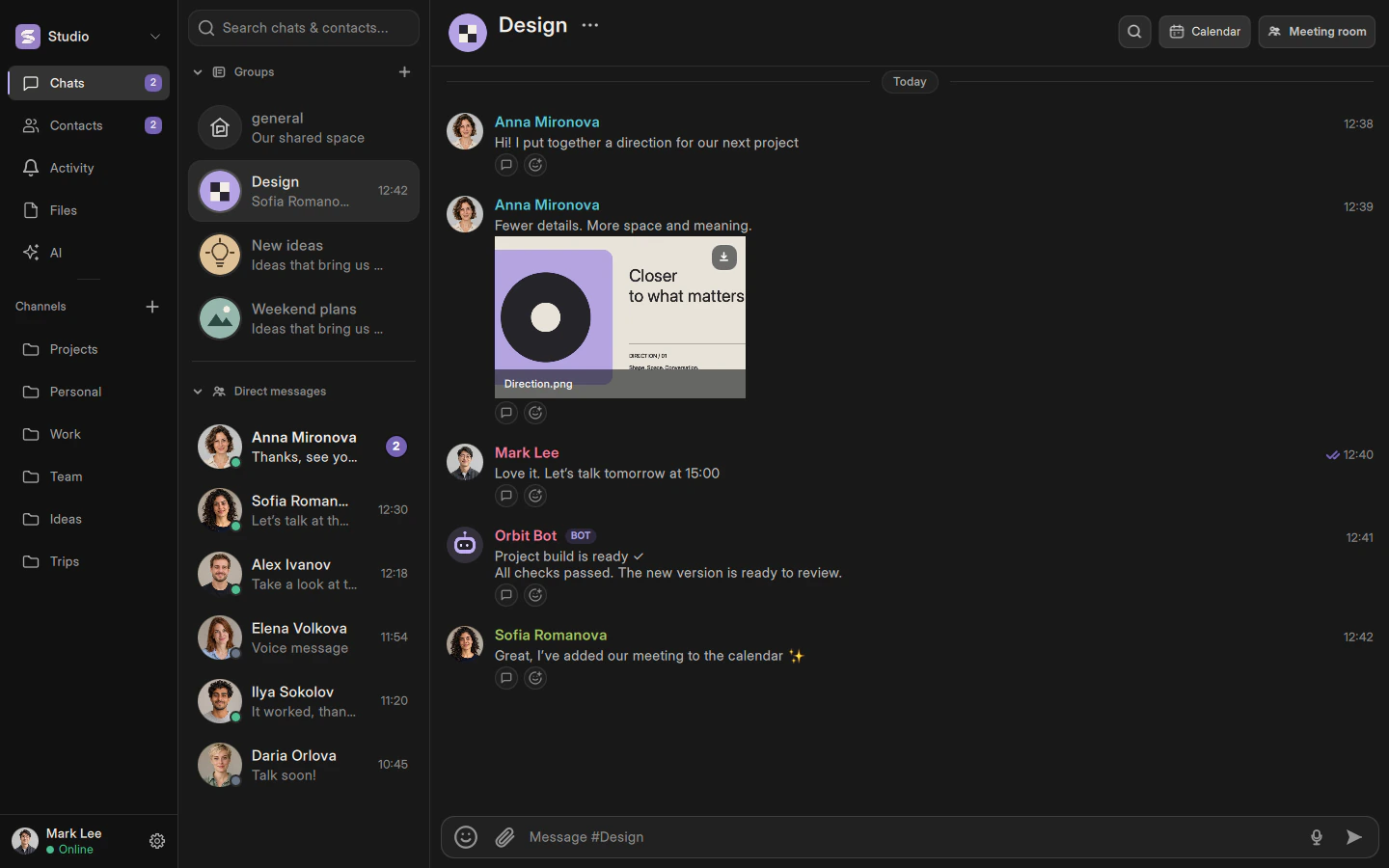
A workspace brings together a team’s members, groups and direct conversations. The switcher in the upper-left corner shows your current workspace. Changing it also changes the available groups and contacts.
Invitations
Create a workspace from the switcher or join with an invitation link. Never share private encryption keys or publish an invitation intended for a limited audience. Group and workspace invitations are different; check the destination before confirming.
A channel is your folder
In Lummia’s interface, a channel is a personal folder for groups and people. Only you see it. Create one in the left sidebar, name it and select existing groups or conversations. It is not a new shared room and does not change access permissions.
Describes the current implementation. Mobile availability and limitations are documented separately.